Discover & poll
Scan CIDRs, ranges, or fixed IPs. Known miners stay in the fleet until TTL, re-polled on a configurable interval.
Read-only · Go · oat.ink
Compact table, filters, miner detail, and live charts built for a wall monitor with 20+ miners. Stable identity across DHCP, SQLite history that survives restarts, discover on your LAN, stay read-only.
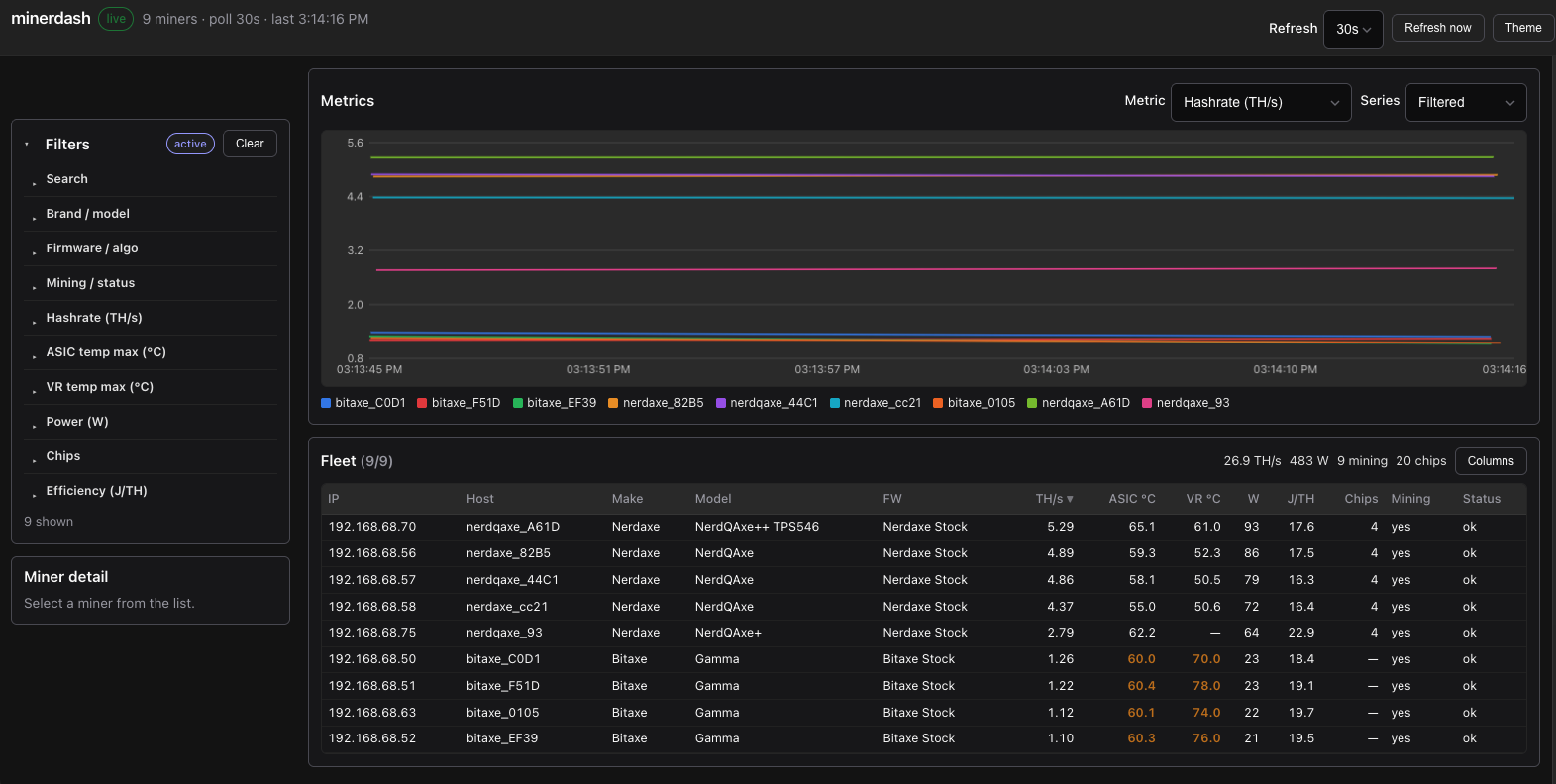
See the whole fleet without logging into each miner. Designed for dark rooms and glanceable status.
Scan CIDRs, ranges, or fixed IPs. Known miners stay in the fleet until TTL, re-polled on a configurable interval.
Track each box by distinctive hostname, then MAC, serial, or IP. DHCP address changes keep one row and continuous chart history.
Search by IP, host, model, or serial. Narrow by brand, firmware, algo, status, hashrate, temps, power, chips, efficiency, and best / session share.
Per-miner hashrate, temps, wattage, efficiency, chips, and best / session share — plus hashrate by type (avg/min/max). Gaps break lines instead of bridging outages. Windows from 4h to 7d.
Metric samples land in a local SQLite file so charts survive restarts. Departed miners stay on charts until retention ages them out (default 7 days).
Select a row for boards, fans, pools, and best / session share without leaving the dashboard. Chart legends prefer hostname labels over raw IDs.
No restart, pool, or power controls in the UI. Safe to leave up on a shared monitor.
Pull adamdecaf/hasherdash from Docker Hub (or build locally).
Compose bind-mounts ./data so the metrics DB is at ./data/hasherdash.db.
Docker is the fastest path. Published images:
adamdecaf/hasherdash
(tag 1.2.0 or latest). Host networking lets the container scan your LAN.
mkdir -p data
# optional: MINER_SUBNET=192.168.1.0/24
docker compose up -d
# upgrade later: docker compose pull && docker compose up -dmkdir -p data
docker pull adamdecaf/hasherdash:1.2.0
docker run --rm --network host \
-e MINER_SUBNET=192.168.1.0/24 \
-e SQLITE_PATH=/app/data/hasherdash.db \
-v "$PWD/data:/app/data" \
adamdecaf/hasherdash:1.2.0open http://localhost:8080cp hasherdash.example.yaml hasherdash.yaml
# edit subnets under:
# subnets:
# - 192.168.1.0/24
mkdir -p data
docker run --rm --network host \
-v "$PWD/hasherdash.yaml:/app/hasherdash.yaml:ro" \
-v "$PWD/data:/app/data" \
-e CONFIG_FILE=/app/hasherdash.yaml \
-e SQLITE_PATH=/app/data/hasherdash.db \
adamdecaf/hasherdash:1.2.0mkdir -p data
docker compose up -d --build
# or: make docker && docker run … hasherdash:latest
SQLite is bind-mounted at ./data/hasherdash.db on the host
(/app/data/hasherdash.db in the container). Full config, API, stable identity,
and chart metrics are in the
README.